60Hz vs 144Hz Gaming: Is the Difference Actually Huge?
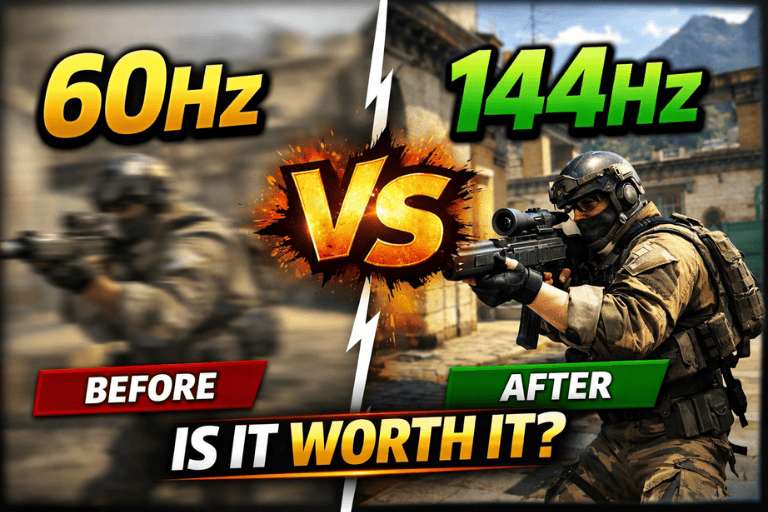
60Hz vs 144Hz gaming — is the upgrade worth it? We break down the real differences in smoothness, performance, and whether your setup can actually use it.
The Upgrade That Changes How Gaming Feels Forever
Here's something that happens to almost everyone who makes the jump from a 60Hz monitor to a 144Hz one.
You sit down. You move the mouse. You look at the screen.
And then you look at every 60Hz screen you've used for the past several years and understand, suddenly and completely, that you were playing games through a mild but constant visual impairment that you had normalized so thoroughly you didn't know it existed.
The 60Hz to 144Hz upgrade is one of the most consistently described transformative moments in PC gaming — ranking alongside the first time someone plays at 1080p after years of lower resolution, or hears good audio after years of mediocre speakers. It's not just "better." It's a qualitatively different experience that makes the old experience feel inadequate in retrospect.
But here's where the conversation gets more complicated and more interesting than the enthusiast community sometimes acknowledges: the magnitude of that difference depends on factors that vary considerably between individual setups, individual games, and individual people. The person playing competitive Counter-Strike at 400 frames per second on a high-end GPU experiences 144Hz very differently from the person playing a single-player RPG at 80fps on a mid-range system.
Understanding exactly what changes at 144Hz — why it changes, what it actually requires to take advantage of, and where the upgrade delivers its most significant returns — is what this guide covers. Not to talk you into or out of anything, but to give you an honest picture of what the numbers actually mean so you can make a genuinely informed decision.
What Hz Actually Means: The Foundation
Before comparing experiences, the underlying technology deserves a clear explanation.
Hertz (Hz) in the context of monitors refers to refresh rate — how many times per second the display updates the image it shows you. A 60Hz monitor redraws the screen 60 times every second. A 144Hz monitor redraws it 144 times per second.
This is distinct from — though related to — frame rate, measured in frames per second (fps), which refers to how many individual images your graphics card renders and sends to the display per second.
The relationship between the two determines what you actually see:
- If your GPU renders 60fps and your monitor refreshes at 60Hz, you're seeing each frame once per refresh — a 1:1 match.
- If your GPU renders 144fps and your monitor refreshes at 144Hz, you're seeing 144 unique images per second.
- If your GPU renders 60fps but your monitor is 144Hz, you're still only seeing 60 unique frames per second — the extra refreshes show the same frame multiple times.
- If your GPU renders 200fps and your monitor is 60Hz, the monitor can only show 60 of those frames — the extra frames are discarded or cause screen tearing.
This relationship is why the refresh rate upgrade question cannot be separated from the frame rate question. A 144Hz monitor is only valuable if your system can produce frame rates that meaningfully approach 144fps in your target games. Without the frame rate to match, the monitor upgrade delivers a fraction of its potential.
The Physics of Why Higher Refresh Rate Looks Different
The reason 144Hz looks and feels different from 60Hz is rooted in the physiology of human vision and the physics of motion representation on screens.
Motion Blur and Sample-and-Hold
Modern LCD displays use sample-and-hold technology — each frame is displayed and held on screen until the next refresh cycle. During the time a frame is held, your eye is moving (in response to motion happening on screen), but the image isn't updating. This mismatch between your eye's movement and the static image creates perceived motion blur — not motion blur rendered by the game, but blur created by the eye-screen interaction.
At 60Hz, each frame is held for 16.67 milliseconds — long enough that rapid motion appears noticeably blurry to the moving eye. At 144Hz, each frame is held for approximately 6.94 milliseconds — less than half as long. The result is significantly sharper motion, particularly on fast-moving objects, characters, and camera movements.
This is why fast-paced games — first-person shooters, racing games, fighting games — benefit most visibly from higher refresh rates. Slow-paced games with minimal camera movement benefit less, because the motion blur reduction matters less when there isn't much motion to blur.
Persistence of Vision and Perceived Smoothness
Human vision is not a continuous stream — it samples the visual field in discrete events. The perception of continuous motion from a sequence of still images (what both film and gaming fundamentally deliver) depends on the rate of those images exceeding the visual system's ability to perceive them as separate.
At 60fps/Hz, most people perceive motion as reasonably smooth for most content. But "reasonably smooth" is not the ceiling of perception — it's the floor above which content stops being obviously choppy. The visual system continues to perceive differences above 60Hz, with perceptible improvements in smoothness and clarity continuing at least up to 240Hz for many people under controlled conditions.
The 60Hz to 144Hz jump is where the improvement is largest and most universally perceived. Subsequent jumps — 144Hz to 240Hz, 240Hz to 360Hz — produce real but progressively diminishing returns for an ever-smaller population of users at the visual edge of discrimination.
Input Latency: The Feel Difference
Refresh rate affects not just how things look but how they feel — specifically, how responsive the game feels to your inputs.
At 60Hz, the maximum delay between a frame being rendered and it appearing on your display is 16.67ms. At 144Hz, this maximum drops to 6.94ms. In a first-person shooter where you're tracking a moving target, this difference in how recently the screen information was updated matters for your ability to react to what you see.
This input latency reduction is why competitive players feel — not just see — the difference at 144Hz. The game feels more responsive, more connected to physical input. Targets feel easier to hit not just because they're displayed more smoothly but because the visual information you're acting on is more current.
60Hz vs 144Hz: The Real-World Comparison
In Competitive First-Person Shooters
This is where the 144Hz upgrade delivers its most significant, most universally agreed-upon benefit.
Games like Valorant, CS2, Apex Legends, and Overwatch are built around fast movement, rapid target acquisition, and split-second reactions. The combination of reduced motion blur and lower display latency at 144Hz produces measurable improvements in aim consistency and reaction performance that have been documented in both laboratory studies and competitive settings.
In these games, the question "is 144Hz worth it?" has a straightforward answer: yes, unequivocally, assuming your system can produce the frame rates to use it. The competitive advantage is real and meaningful, not marginal.
The frame rate requirement for competitive shooters to fully utilize 144Hz is within reach of mid-range hardware at 1080p — a GPU like the RTX 4060 or RX 7600 can sustain 144fps+ in most competitive titles at 1080p with reduced graphical settings.
In Fast-Paced Action Games
Racing games, fighting games, action games with fast camera movement — these categories show clear and consistent visual improvement at 144Hz. The motion clarity difference in a game like Forza Horizon or Devil May Cry, where the camera and objects move rapidly, is substantial and immediate.
For these games, 144Hz transforms the visual experience even at frame rates below the full 144fps ceiling. Going from 60fps on a 60Hz display to 90fps on a 144Hz display — using adaptive sync technology (G-Sync or FreeSync) to eliminate screen tearing — produces a dramatic smoothness improvement even without hitting the maximum refresh rate.
In Single-Player Games at Lower Frame Rates
Here's where the conversation becomes genuinely more nuanced.
Many single-player games — open-world RPGs, graphically demanding titles, narrative adventures — are built around visual fidelity rather than maximum frame rate. At high graphical settings on most consumer hardware, these games run at 60–90fps at 1080p and lower at higher resolutions.
In these games, at these frame rates, the difference between a 60Hz and 144Hz monitor is noticeable but less transformative than in competitive scenarios. You'll see smoother animation and reduced motion blur, but you won't approach the ceiling of what 144Hz can provide, and the upgrade doesn't address the fundamental frame rate limitation.
For someone who plays primarily single-player games at graphical settings that limit frame rates below 100fps, a 144Hz monitor remains a worthwhile upgrade — but the case is based on modest smoothness improvement rather than the dramatic transformation that competitive gamers experience.
The 60fps on 60Hz vs 60fps on 144Hz Distinction
One specific comparison worth making explicit: playing at 60fps on a quality 144Hz monitor looks better than 60fps on a 60Hz monitor, for reasons beyond the refresh rate.
Response time — the speed at which individual pixels change from one color to another — tends to be faster on panels designed for 144Hz refresh rates. Faster pixel response reduces the secondary form of motion blur caused by slow pixels and produces a cleaner image at any frame rate.
Panel quality generally: monitors designed for 144Hz gaming often feature better overall panel quality — better color accuracy, faster response, better backlight uniformity — than budget 60Hz monitors. Some of the improvement people attribute to higher refresh rate is actually attributable to overall panel quality improvement.
This means that even for someone whose GPU cannot produce 144fps in demanding games, a quality 144Hz gaming monitor is likely to produce a better visual experience than a basic 60Hz alternative.
What You Actually Need to Use 144Hz
The monitor upgrade is only half the equation. To get the full benefit of 144Hz, you need a system that can deliver the frame rates to feed it.
GPU Requirements at Different Resolutions
| Resolution | Target | Minimum GPU (Approx.) | Recommended GPU |
|---|---|---|---|
| 1080p | 144fps (competitive) | RTX 3060 / RX 6600 | RTX 4060 / RX 7600 |
| 1080p | 144fps (demanding titles) | RTX 3070 / RX 6700 | RTX 4070 / RX 7700 XT |
| 1440p | 144fps (competitive) | RTX 3070 / RX 6700 | RTX 4070 / RX 7800 XT |
| 1440p | 144fps (demanding titles) | RTX 3080 / RX 6800 XT | RTX 4070 Ti / RX 7900 GRE |
| 4K | 144fps | RTX 4080 / RX 7900 XTX | RTX 4090 |
For competitive games that are less GPU-demanding — CS2, Valorant, League of Legends — these requirements drop considerably. Many players achieve 144fps+ in these titles on mid-range hardware even at higher settings.
CPU Considerations
Frame rate in competitive games is often CPU-limited rather than GPU-limited, particularly at lower resolutions. A bottlenecked CPU prevents your GPU from rendering the frames that a 144Hz monitor needs. For competitive gaming at 1080p, CPU performance matters as much as GPU selection.
Adaptive Sync: G-Sync and FreeSync
The practical unlock for 144Hz gaming is adaptive sync technology — either NVIDIA G-Sync or AMD FreeSync — which dynamically matches the monitor's refresh rate to the GPU's current output frame rate.
Without adaptive sync, frame rates below the monitor's fixed refresh rate cause either screen tearing (frames split across two refresh cycles) or stuttering (from V-Sync engaging and limiting frame rate). With adaptive sync, the monitor smoothly follows whatever frame rate the GPU is producing, eliminating tearing without the input latency penalty of V-Sync.
Adaptive sync is what makes 144Hz gaming feel smooth even when you're not consistently hitting 144fps. A game running at 80–120fps with adaptive sync enabled on a 144Hz monitor looks and feels dramatically better than the same game at 60fps on a fixed 60Hz display.
Practical guidance: Look for monitors with FreeSync Premium or G-Sync Compatible certification. These work reliably across a wide frame rate range (typically 48–144Hz) and are available across most price points.
The Visual Test: What Changes Specifically
For people who haven't experienced 144Hz and want to know specifically what to expect, here is what changes:
Camera movement becomes dramatically smoother. Panning a camera in a game, moving the mouse to aim, looking around an open world — all of these feel fundamentally more fluid. The jerky, slightly disconnected quality of fast camera movement at 60Hz largely disappears.
Moving objects look sharper. Characters, projectiles, vehicles, any fast-moving element in the game — these retain visual clarity during motion that 60Hz blurs. You can see details on a moving enemy at 144Hz that would be an indistinct smear at 60Hz.
The game feels more responsive to input. This is the hardest change to describe before experiencing it — the game feels less like you're watching something happen and more like your inputs are directly connected to the action. It's particularly pronounced in aiming, where the reduced latency between mouse movement and display update creates a feeling of physical directness.
Microstutters become more apparent. This is the less discussed consequence of moving to 144Hz: once you've calibrated to smooth high-frame-rate gaming, any interruption to that smoothness — a brief frame rate drop, a stutter from a shader compile, a CPU spike — becomes immediately and irritatingly obvious. The higher the baseline smoothness, the more jarring the deviations. Adaptive sync helps significantly with this.
The Human Perception Question: Can Everyone Tell the Difference?
The honest answer is: virtually everyone can tell the difference between 60Hz and 144Hz, and most people prefer 144Hz strongly once they've experienced it.
The "can't see above 60fps" argument — a persistent piece of gaming mythology — is simply not supported by the scientific evidence on human visual perception. Multiple studies have demonstrated that people can reliably detect differences in frame rate well above 60fps, with some studies showing perceptual sensitivity extending above 200fps in specific conditions.
What does vary between individuals is the degree to which higher frame rates affect practical performance. The competitive benefit of 144Hz is more pronounced for players with faster reaction times and who play at the edge of their mechanical skill ceiling. For more casual players in non-competitive contexts, the benefit is more purely aesthetic — things look and feel better — rather than directly affecting win rates.
Neither version of the benefit is negligible. Looking and feeling better is a legitimate reason to upgrade. Performing better in competitive games is a legitimate reason to upgrade. The question is proportionality — matching the investment to the expected return for your specific use case.
Beyond 144Hz: Where Does It End?
Since this guide establishes the 60Hz to 144Hz jump as clearly significant, the natural follow-up question is whether subsequent jumps are equally significant.
144Hz to 240Hz: Noticeably smoother to most people, particularly in competitive FPS contexts. The motion clarity improvement is real and documented. The competitive benefit is meaningful for high-level players. The GPU requirements increase substantially. Recommended for serious competitive players with hardware to support it.
240Hz to 360Hz: Perceptible improvement in controlled testing, primarily for the top tier of competitive players. The GPU requirements are extreme for anything other than esports titles. Diminishing returns becoming significant for most users.
360Hz and above: Genuine benefit exists for the absolute elite of competitive gaming. For everyone else, the marginal improvement doesn't justify the premium.
The pattern is consistent: each doubling of refresh rate produces real but progressively smaller perceptual improvements. The 60Hz to 144Hz jump is the largest and most universally significant. Everything after is refinement rather than transformation.
The Upgrade Decision Framework
Before concluding, a practical framework for the actual purchase decision:
Upgrade makes clear sense if:
- You play competitive games regularly and your GPU can maintain 100fps+ in those titles
- Your current 60Hz monitor is aging and needs replacement regardless
- You can acquire a quality 144Hz monitor without compromising GPU budget
- Fast-paced games are central to your gaming enjoyment
Upgrade is worthwhile but less urgent if:
- You play primarily single-player games at settings that limit frame rates below 100fps
- Your GPU is already limiting you and needs upgrading first
- You're gaming at 4K where hitting 144fps is GPU-intensive
Prioritize GPU upgrade first if:
- Your GPU cannot sustain 60fps consistently in your target games
- You're considering a 144Hz monitor while running a GPU from more than three generations ago
- Your system is generally underperforming — monitor refresh rate is the last constraint, not the first
The Bottom Line
The 60Hz to 144Hz difference is real, significant, and in competitive gaming contexts — genuinely large.
It is not a marginal spec sheet improvement. It is a change in how the game looks and how it feels to play, rooted in measurable physics and human visual physiology, that produces both aesthetic and practical benefits across virtually every gaming genre.
The caveats are real too: it requires adequate GPU performance to deliver its benefits, it has the most dramatic impact in fast-paced and competitive contexts, and it sets a new baseline of smoothness expectation that makes going back feel like a genuine downgrade.
For most PC gamers in 2026, a quality 144Hz monitor at 1080p or 1440p is the single best hardware investment available if they're still on 60Hz. The price premium over equivalent 60Hz panels has narrowed considerably, the GPU requirements for competitive titles are within reach of mid-range hardware, and the experiential return is immediate and substantial.
The upgrade doesn't make you better at games. But it gives you a clearer, smoother, more responsive view of the game you're already playing — and that, it turns out, is worth more than most other numbers on a spec sheet.
Still on 60Hz or already running 144Hz and above? Drop your setup and experience in the comments — and if this finally clarified the decision for you, share it with whoever's been on the fence about the upgrade.
