1K vs 8K Polling Rate Explained: Does It Actually Matter?
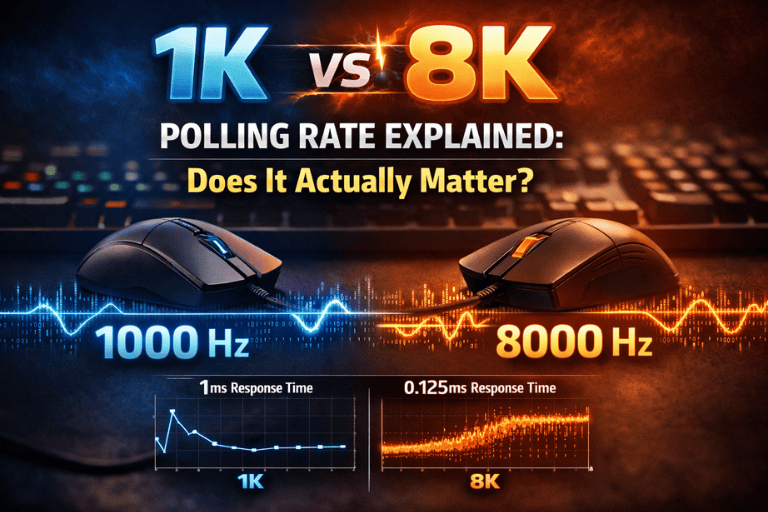
1K vs 8K polling rate — what's the difference and does it actually improve your gaming? We break down the science, the performance, and whether it's worth it.
The Spec That Started Arguments in Every Gaming Forum
Here's a scenario that plays out constantly in gaming communities.
Someone posts a question asking whether they should upgrade from a standard 1000Hz polling rate mouse to one of the newer 8000Hz models. Within minutes, the thread splits into two passionate camps. One side insists that 8K polling rate is a transformative upgrade — smoother tracking, lower latency, genuinely competitive advantage. The other side calls it marketing nonsense — an imperceptible difference that only exists to justify a higher price tag, measurable only in benchmarks that bear no relationship to actual gameplay.
Both sides are partially right. Both sides miss important nuance. And the person who asked the original question closes the tab more confused than when they opened it.
This guide exists to fix that.
The polling rate debate is genuinely interesting — not just as a consumer question but as a window into how human perception works, how competitive gaming performance is measured, and where the real performance ceilings in gaming peripherals actually lie. Understanding it properly requires a little physics, a little neuroscience, and a realistic assessment of what "better" actually means when the differences involved are measured in fractions of a millisecond.
Let's go through all of it.
What Polling Rate Actually Is
Before comparing 1K and 8K, you need to understand what polling rate describes and why it exists.
Polling rate refers to how frequently your mouse reports its position to your computer — how often it sends an update saying, in effect, "here is where I am right now." This frequency is measured in Hertz (Hz), where one Hertz equals one report per second.
- A 125Hz polling rate mouse reports its position 125 times per second
- A 500Hz mouse reports 500 times per second
- A 1000Hz (1K) mouse reports 1,000 times per second — once every millisecond
- An 8000Hz (8K) mouse reports 8,000 times per second — once every 0.125 milliseconds
The interval between reports — the time gap between one position update and the next — is the more intuitive way to think about it:
| Polling Rate | Reports Per Second | Interval Between Reports |
|---|---|---|
| 125Hz | 125 | 8ms |
| 500Hz | 500 | 2ms |
| 1000Hz (1K) | 1,000 | 1ms |
| 2000Hz (2K) | 2,000 | 0.5ms |
| 4000Hz (4K) | 4,000 | 0.25ms |
| 8000Hz (8K) | 8,000 | 0.125ms |
The fundamental promise of a higher polling rate is simple: your computer knows where your mouse is more recently, more often, with less time elapsed since the last update. In theory, this means smoother tracking curves, more accurate position data at any given moment, and reduced input latency between physical mouse movement and cursor response on screen.
That's the theory. The reality of what this means for actual users — in actual games, with actual human hands — is more nuanced.
The Case for 1000Hz: Why It Became the Standard
Understanding why 1000Hz became and remains the gaming standard requires a brief historical journey.
For most of PC gaming's history, 125Hz was standard — a polling interval of 8 milliseconds. This was largely sufficient for the display and CPU technology of its era. As gaming became more competitive and monitors moved toward higher refresh rates, 125Hz started showing its limitations.
The move to 500Hz and then 1000Hz represented a genuine performance improvement that was measurable, practically meaningful, and reasonably perceptible to competitive players. The jump from 125Hz to 1000Hz — from an 8ms interval to a 1ms interval — is an 8x improvement in report frequency. At this level, the difference in tracking smoothness and latency is real and noticeable to trained users.
By the mid-2010s, 1000Hz had become the de facto standard for gaming mice — included in virtually every product marketed to competitive players, from budget-friendly options to flagship offerings. It was supported universally across operating systems, required no special software infrastructure, and its CPU overhead was manageable on virtually any gaming system.
Critically, 1000Hz held up well as display technology improved. The widespread adoption of 144Hz, 165Hz, and 240Hz monitors changed the math on what fast meant — but 1000Hz still provided position updates faster than most monitor refresh cycles, meaning the limiting factor in most gaming setups was the display rather than the mouse.
For the vast majority of games, genres, and players, 1000Hz remains technically sufficient — and this is the most important practical fact in the entire polling rate debate.
The Case for 8000Hz: What the Upgrade Actually Provides
The push to 8000Hz began seriously around 2021, primarily driven by Razer with their HyperPolling technology and subsequently adopted by other manufacturers including Logitech and Pulsar. The marketing narrative around 8K polling rate emphasizes three claimed benefits: smoother tracking, lower latency, and improved accuracy at high speeds.
Let's examine each claim with appropriate rigor.
Smoother Tracking Curves
When you move your mouse in a straight line, the path that movement takes between position reports is reconstructed by interpolation — the system fills in the gaps between data points. At 1000Hz, there are 1000 data points per second, meaning gaps of 1 millisecond between known positions. At 8000Hz, there are 8000 data points, with gaps of 0.125 milliseconds.
The mathematical result: An 8K polling rate mouse provides a more finely sampled representation of the mouse's actual movement path. In precision measurement, this produces genuinely smoother curves — the path a cursor traces when you make a circular motion, for example, is more accurately circular at 8K than at 1K.
The perceptual question: Can human eyes and hands perceive this difference? At 60Hz monitor refresh rates, almost certainly not. At 240Hz, the argument becomes more interesting — more display updates per second means more opportunities to display intermediate cursor positions that only exist in 8K data. At 360Hz and above, the theoretical case for 8K polling rate being perceptually relevant becomes stronger.
Reduced Input Latency
This is the most straightforward claimed benefit and the most accurately stated.
At 1000Hz, the worst-case latency between a physical mouse movement and the next position report is 1 millisecond. At 8000Hz, the worst-case latency is 0.125 milliseconds. This is a real difference — 0.875 milliseconds of maximum additional latency at 1K versus 8K.
The context question: Is 0.875 milliseconds of latency difference meaningful? To put it in perspective: the average human reaction time is approximately 150–250 milliseconds. Professional esports players with exceptional reflexes might achieve 100–120 milliseconds. The difference between 1K and 8K polling rate represents approximately 0.5–1% of a typical human reaction time.
The system context: Mouse polling rate is one component of the total input latency chain, which includes:
- Mouse sensor processing time
- USB transmission time
- Operating system processing
- Game engine processing
- GPU render time
- Display response time
The total latency in a typical gaming setup from mouse movement to pixel on screen is somewhere between 10–50 milliseconds depending on hardware and settings. The 0.875ms difference between 1K and 8K polling rate represents a small fraction of this total.
Improved Accuracy at High Speeds
This is the most technically interesting claim and the one with the strongest empirical support.
At very high mouse movement speeds — the kind of quick flick movements common in competitive first-person shooters — a lower polling rate can cause micro-stuttering or tracking inaccuracies. The reason is that between position reports, the mouse's actual position and the reconstructed position can diverge more significantly when the mouse is moving fast and the reports are less frequent.
At 8000Hz, the sampling frequency is high enough that even at extreme movement speeds, the reconstructed path closely matches the actual path. This is mathematically provable and shows up in precision measurement equipment.
The real-world translation: For players who make very fast, large flick movements in games like Valorant or CS2, 8K polling rate provides more accurately reconstructed tracking paths. Whether this accuracy difference is large enough to affect hit registration in actual gameplay is where the argument becomes genuinely contested.
The Hardware Requirements Nobody Warns You About
This is the section that most 8K polling rate marketing glosses over, and it's critically important for anyone considering the upgrade.
8000Hz polling rate has significant CPU overhead.
At 1000Hz, your mouse sends 1,000 USB interrupts per second to your CPU — requests that require processing. This is manageable; modern CPUs handle it without perceptible impact on gaming performance.
At 8000Hz, your mouse sends 8,000 USB interrupts per second. This is a 8x increase, and its impact on system performance is real and measurable.
Studies and user reports from the early adoption of 8K mice documented cases of:
- CPU usage spikes from mouse input processing
- Frame rate drops in CPU-limited gaming scenarios
- System stutters unrelated to the game itself
- Increased processor temperatures during high-movement gaming sessions
Most manufacturers addressed this with dedicated companion software that routes polling rate processing through more efficient pathways — Razer's HyperPolling implementation, for example, uses a dedicated processor on the mouse itself to reduce host CPU burden. Logitech's implementation similarly manages the overhead differently from raw USB interrupt processing.
The practical implication: 8K polling rate performs as advertised on modern, high-end systems where CPU headroom is abundant. On systems where the CPU is already stressed — particularly in CPU-limited games or on older processors — the overhead can produce performance degradation that outweighs the polling rate benefits.
Check before upgrading: If your CPU regularly sits above 70% usage during gaming, 8K polling rate may produce worse overall performance, not better.
What the Human Perception Research Says
The honest answer to "can you feel the difference between 1K and 8K polling rate" depends heavily on who "you" is.
The Average Gamer
For a casual-to-intermediate gamer playing at 60–144Hz, using a standard gaming mouse at 1000Hz, on typical gaming hardware — the difference between 1K and 8K polling rate is almost certainly imperceptible in normal gameplay.
Human flicker fusion — the threshold at which individual updates merge into perceived continuous motion — sits at approximately 60–90Hz for most people under most conditions. Trained individuals and specific lighting conditions can push this higher, but the principle holds: there are hard biological limits on how finely the human visual system can resolve rapid sequential information.
The additional position data provided by 8K polling rate, in other words, comes at a rate significantly faster than the human visual system can process individually. The benefit, if it exists perceptually, arrives through indirect means — smoother cursor paths that are resolved by the display at whatever refresh rate the monitor supports.
The Competitive Player
For a competitive player operating at the highest level — playing at 360Hz or above, with hardware that can render frames faster than most monitors can display them, with a motion-to-photon latency measured and optimized across their entire setup — the argument for 8K polling rate becomes genuinely more interesting.
At 360Hz, the display is updating 2.78 milliseconds per frame. The difference between 1ms position data and 0.125ms position data starts to matter more when the display is refreshing fast enough to potentially show intermediate positions. Professional esports players operating at the extreme edge of performance have documented scenarios where 8K polling rate produces measureable differences in their aim consistency.
This population is small. But it exists, and the performance benefit for them is real.
Benchmarks vs. Real-World Performance
One of the most important distinctions in the polling rate debate is between benchmark performance and real-world gaming performance.
In benchmarks: 8K polling rate produces measurably smoother tracking curves, measurably lower latency spikes, and measurably more accurate path reconstruction at high speeds. These differences are real, documented, and reproducible in controlled measurement conditions.
In real-world gameplay: The translation of these benchmark improvements into better aim, better hit rates, or better competitive performance is considerably less certain. Several factors complicate the connection:
Game engine sampling rates: Many games don't sample input at 8000Hz. If a game polls input at 1000Hz internally — processing one input update per millisecond regardless of how many your mouse is sending — the additional reports from an 8K mouse are discarded. The benefit of 8K polling rate depends partly on whether the game engine can actually use the additional data.
Network latency in online games: In any online competitive game, network latency — the time for your actions to reach the server and for the server's state to return to you — is measured in milliseconds to tens of milliseconds. The 0.875ms maximum difference in polling rate latency is essentially invisible against this background noise.
Player skill ceiling: The limiting factor in most players' performance is not input latency or tracking precision at the sub-millisecond level. It is decision-making, reaction time, game sense, and muscle memory — factors that 8K polling rate doesn't touch.
The Battery Drain Reality for Wireless Mice
For wireless gaming mice, polling rate has an additional consequence that the wired mouse conversation often ignores: battery life.
Higher polling rate requires more frequent radio transmission — more data sent from mouse to receiver, more often. The power consumption difference between 1K and 8K wireless operation is substantial.
A wireless mouse that provides 70–80 hours of battery life at 1000Hz might provide 15–25 hours at 8000Hz. This is a significant practical consideration for anyone who prefers wireless and doesn't want to charge or swap batteries every day or two.
Most manufacturers who offer high polling rate wireless mice implement it as a selectable option rather than a default precisely because of this trade-off. The Logitech G Pro X Superlight 2, for example, supports higher polling rates but defaults to lower rates to preserve battery life.
The practical recommendation: If you use a wireless mouse and value battery life, the jump to 8K polling rate comes with a real cost that needs to be weighed against the performance benefit.
Who Should Actually Consider 8K Polling Rate
Based on everything above, here's a framework for thinking about whether 8K polling rate is worth pursuing:
The upgrade makes most sense if:
- You play competitive FPS games at the highest level — ranked ladders, tournaments, or professional play
- Your monitor runs at 240Hz or above, ideally 360Hz
- Your CPU has abundant headroom (consistently below 60% usage during gaming)
- You use a wired mouse or are comfortable with reduced wireless battery life
- You have already optimized other latency sources in your setup — display, GPU, network
The upgrade probably doesn't make sense if:
- You play casually or at a recreational competitive level
- Your monitor runs at 60–165Hz
- Your gaming system is mid-range or your CPU is often under load
- You use a wireless mouse and battery life matters to you
- You haven't noticed any limitations with your current 1000Hz setup
The upgrade is explicitly not worth it if:
- You're upgrading specifically hoping it will fix aim problems or improve your rank
- You're upgrading because you read that professional players use 8K mice
- Your current mouse already performs reliably and you have no specific complaints
- The price difference for an 8K mouse would come from funds better spent on a better monitor, better headset, or other upgrades
The Actual Priority Order for Gaming Performance Upgrades
If your goal is measurably better gaming performance and you're trying to decide where polling rate fits in the upgrade hierarchy, here is an honest prioritization:
Monitor refresh rate has more impact on perceived smoothness and competitive performance than any peripheral specification. Moving from 60Hz to 144Hz is a transformation. 144Hz to 240Hz is meaningful. 240Hz to 360Hz has diminishing returns but is real.
Mouse sensor quality matters more than polling rate in most practical scenarios. A good optical sensor with minimal acceleration, consistent tracking, and appropriate DPI range outperforms a mediocre sensor with a higher polling rate in real-world use.
Mouse weight and shape affect your physical accuracy more than polling rate does. A mouse that fits your hand, matches your grip style, and has appropriate weight for your sensitivity settings produces better real-world aim than a heavy, ill-fitting mouse with 8K polling rate.
System performance — consistent high frame rates without stuttering — produces more perceptible gaming performance improvement than polling rate. A GPU upgrade that takes you from 120fps to 240fps is a more impactful investment for most players than moving from 1K to 8K polling rate.
Polling rate sits toward the end of this list — meaningful at the extreme competitive edge, largely academic for most players.
The Bottom Line: Numbers in Context
The difference between 1K and 8K polling rate is real. The interval between position reports drops from 1 millisecond to 0.125 milliseconds. Tracking curves are demonstrably smoother in measurement. Latency is marginally lower at the hardware level.
Whether this matters to you — in your hands, in your games, at your level of play — depends on variables that no spec sheet can answer for you.
For the overwhelming majority of gaming mice users in 2026, 1000Hz is excellent and sufficient. It was the performance standard for a reason, it remains genuinely capable, and the real-world performance gap to 8K is not large enough to justify the premium or the hardware overhead for most setups.
For the competitive minority playing at 240Hz and above, with hardware to support it, at a level where every marginal edge is worth pursuing — 8K polling rate is a real upgrade, if a modest one.
The most honest summary: 8K polling rate is a genuine technical advancement that provides real but small performance improvements that matter to a small population of users and are largely imperceptible to most others.
Know which category you're in before spending the money.
Are you running 1K or 8K polling rate — and have you actually noticed a difference? Drop your setup and experience in the comments. And if this finally settled the debate for you, share it with whoever's been arguing about it in your Discord.
