Stop Your Phone from Heating in 30 Seconds
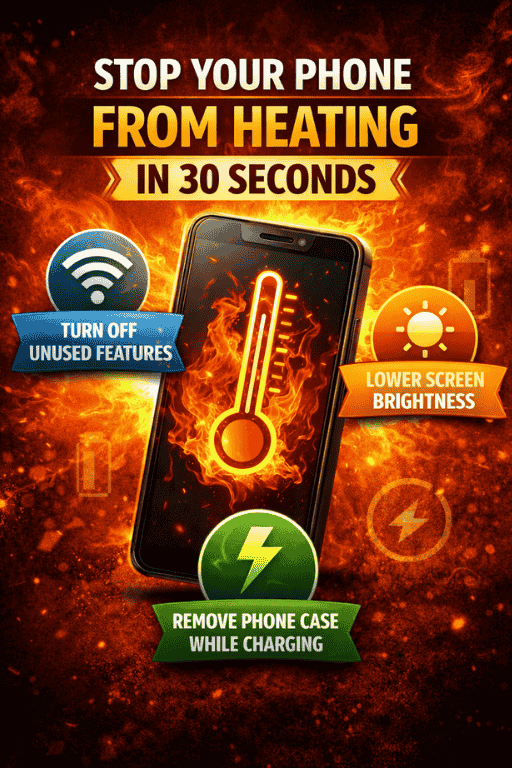
Your phone is burning up in your hand. The back feels hot enough to cook an egg on, the screen might show a temperature warning, apps are lagging or crashing, and you're genuinely worried about whether this $1,000 device is about to become a very expensive paperweight. You need a solution now—not a lengthy troubleshooting guide, not a trip to the repair shop, but immediate relief.
The good news? Most phone overheating can be stopped in 30 seconds or less with the right emergency actions. The even better news? Understanding why phones overheat and implementing simple preventive measures means you'll rarely face this problem again.
The 30-Second Emergency Protocol
When your phone is dangerously hot right now, follow these steps in order:
Seconds 1-5: Remove the Case
Rip off your phone case immediately. Cases trap heat like insulation, preventing your phone's natural cooling. The temperature difference can be dramatic—removing a thick case can drop surface temperature by 5-10°C (9-18°F) within minutes.
Seconds 6-10: Close All Apps
Force-close everything running:
iPhone: Swipe up from the bottom (or double-click home button on older models) and swipe away all app cards.
Android: Tap the square/recent apps button and swipe away all apps, or tap "Close all."
Running apps, especially processor-intensive ones like games, navigation, or video streaming, generate significant heat. Closing them immediately reduces the processing load.
Seconds 11-15: Enable Airplane Mode
Swipe down from the top-right corner (iPhone) or top of screen (Android) and tap the airplane icon.
This instantly disables all radios—cellular, Wi-Fi, Bluetooth, GPS—which are major heat generators, especially in areas with weak signals where your phone works overtime trying to maintain connections.
Seconds 16-20: Reduce Brightness to Minimum
In the same control center/quick settings, drag the brightness slider all the way down. Your display is likely the single biggest heat source at this moment.
Seconds 21-25: Stop Charging (If Applicable)
If your phone is plugged in, unplug it immediately. Charging generates substantial heat, and using your phone while charging compounds the problem. Fast charging generates even more heat than standard charging.
Seconds 26-30: Move to Cool Environment
Get your phone out of direct sunlight, away from heat sources, and into a cooler environment. Don't put it in a refrigerator or freezer (rapid temperature changes can damage components and create condensation), but a cool, well-ventilated indoor space is ideal.
Bonus Action (If Time Permits): Turn the phone completely off. This stops all processes and allows maximum cooling, but takes longer than 30 seconds and prevents you from using the phone while it cools.
This 30-second protocol addresses the immediate crisis. Your phone should begin cooling noticeably within 2-3 minutes and return to normal temperature within 10-15 minutes.
Why Phones Overheat: Understanding the Enemy
To prevent overheating, understanding the causes helps:
1. Processor-Intensive Tasks
Your phone's processor is essentially a tiny computer chip that generates heat when working hard. Activities that max out the processor include:
- Gaming (especially graphics-intensive 3D games)
- Video recording or editing
- Augmented reality apps
- Running multiple heavy apps simultaneously
- Software updates installing in the background
2. Display at Maximum Brightness
Your screen's backlight generates significant heat, especially OLED displays at full brightness. Direct sunlight forces auto-brightness to maximum, compounding the problem.
3. Weak Signal Areas
When cellular signal is weak, your phone cranks up radio power trying to maintain connection. This dramatically increases heat generation. The same applies to Wi-Fi in weak signal areas.
4. Charging, Especially Fast Charging
Charging generates heat as electrical energy converts to chemical energy in your battery. Fast charging generates more heat due to higher power flow. Using your phone while charging multiplies heat generation.
5. Environmental Factors
- Direct sunlight (phones can reach 60°C/140°F+ in summer sun)
- Hot cars (interior temps can exceed 70°C/158°F)
- Hot pockets or enclosed spaces that trap heat
- Using phone while covered with blankets
6. Background Processes Gone Wild
Rogue apps, software bugs, or malware can cause processors to run at maximum capacity constantly, generating continuous heat. Endless background processes like photo syncing, app updates, or cloud uploads also contribute.
7. Battery Degradation
Old, degraded batteries become less efficient, generating more heat during normal operation and charging. Damaged or swollen batteries are serious fire hazards.
The Danger Zone: When to Worry
Not all phone warmth is dangerous. Understanding the difference between normal, concerning, and dangerous heat levels helps:
Normal Warmth (Warm to Touch, Not Uncomfortable):
- During charging
- During video calls
- After 10+ minutes of gaming
- In warm environments
- During software updates
Concerning Heat (Uncomfortably Hot, But Still Usable):
- Phone hot without obvious cause
- Battery draining rapidly
- Apps lagging or freezing
- Screen dim or temperature warning appears
- Heat concentrated in specific area
Dangerous Heat (Too Hot to Hold Comfortably):
- Phone displaying temperature warning and shutting down features
- Screen becoming unresponsive
- Physical deformation (swelling battery)
- Burning smell
- Phone shutting down automatically
If your phone regularly reaches concerning or dangerous heat levels during normal use, you have a hardware problem requiring professional attention.
Prevention: Habits That Keep Phones Cool
An ounce of prevention beats a pound of emergency cooling:
Display Management
- Keep brightness at 50% or lower indoors
- Use auto-brightness, but check it's not running unnecessarily high
- Reduce screen-on time with shorter auto-lock (30-60 seconds)
- Enable dark mode on OLED screens (black pixels generate no heat)
Smart Charging Practices
- Avoid using phone heavily while charging
- Remove cases during charging if phone gets warm
- Don't charge overnight under pillows or blankets
- Use original or certified chargers (cheap chargers can overheat)
- Charge in cool, well-ventilated areas
- Consider standard charging over fast charging when not rushed
App and Process Management
- Close unused apps rather than leaving dozens running
- Uninstall apps you don't use
- Disable background app refresh for non-essential apps
- Check battery usage stats to identify heat-generating culprits
- Update apps regularly (updates often include efficiency improvements)
- Restart your phone weekly to clear accumulated processes
Location and Network Settings
- Disable location services for apps that don't need them
- Turn off Wi-Fi, Bluetooth, and GPS when not needed
- Use Airplane Mode in very weak signal areas
- Prefer Wi-Fi to cellular data (Wi-Fi generates less heat)
- Disable hotspot when not actively needed (hotspot mode generates significant heat)
Environmental Awareness
- Never leave phones in hot cars
- Avoid direct sunlight during outdoor use
- Remove phone from pockets in hot weather (body heat + pocket insulation = overheating)
- Use in well-ventilated areas
- Don't use while covered by blankets or pillows
- In extreme heat, limit intensive tasks
Case Selection
- Choose thin cases with good ventilation
- Avoid thick, insulating cases like otterbox-style heavy protection
- Remove cases during processor-intensive activities or charging
- Avoid metal cases (they trap heat rather than dissipating it)
Long-Term Solutions for Chronic Overheating
If your phone overheats regularly despite preventive measures:
Software Solutions:
1. Factory Reset Backup your data, then reset your phone to factory settings. This eliminates software glitches, rogue processes, or problematic apps causing overheating.
iPhone: Settings → General → Transfer or Reset iPhone → Erase All Content and Settings
Android: Settings → System → Reset options → Erase all data (factory reset)
2. Update Operating System Ensure you're running the latest iOS or Android version. Updates often include thermal management improvements.
3. Identify Problematic Apps Check battery usage statistics to identify apps consuming excessive resources:
iPhone: Settings → Battery → Battery usage by app
Android: Settings → Battery → Battery usage
Delete or find alternatives for problem apps.
4. Disable Unused Features Turn off features you don't use:
- NFC (contactless payment chip)
- Always-on display
- Live wallpapers
- Widgets that constantly refresh
Hardware Solutions:
1. Clean Charging Port and Vents Dust and debris in charging ports or speaker grills can trap heat. Carefully clean with compressed air or a soft brush.
2. Replace Degraded Battery If your battery health is below 80% capacity, replacement can solve overheating issues. Degraded batteries generate more heat.
iPhone: Settings → Battery → Battery Health & Charging → Maximum Capacity
Consider replacement below 80%. Official Apple service or certified repair shops offer quality replacements.
Android: Third-party apps like AccuBattery estimate health, or check manufacturer settings. Official service centers or reputable repair shops can replace batteries.
3. Professional Diagnosis If problems persist after software solutions and you've ruled out obvious causes, internal hardware issues might exist:
- Damaged processor or motherboard
- Faulty charging circuitry
- Internal short circuits
- Liquid damage
Professional diagnostics can identify these issues. Repairs may or may not be cost-effective depending on phone age and repair costs.
Myths and Mistakes: What Not to Do
NEVER Put Your Phone in the Freezer or Refrigerator
This is the #1 mistake people make. Rapid temperature changes:
- Create internal condensation that can cause water damage
- Can crack screen or internal components from thermal shock
- Don't actually cool the internal components effectively
- Can permanently damage battery chemistry
Don't Blow on Your Phone or Use a Fan Directly
While moving air helps cool, forceful blowing can push dust into ports and openings. Gentle ambient air circulation is fine; directed air streams are problematic.
Don't Ignore Consistent Overheating
Chronic overheating degrades battery faster, reduces processor lifespan, and in extreme cases poses fire risk. Don't normalize a phone that's always hot.
Don't Use While Showing Temperature Warning
If your phone displays a temperature warning and disables features, stop using it. Allow it to cool completely. Continued use during thermal throttling can cause permanent damage.
Don't Cheap Out on Replacement Batteries
If replacing battery, use official parts or certified equivalents. Cheap batteries overheat, perform poorly, and pose genuine safety risks including fire.
Special Cases: Gaming and Navigation
Gaming:
- Lower graphics settings in-game
- Enable performance/battery modes rather than quality modes
- Play in short sessions with cool-down breaks
- Remove case during extended sessions
- Avoid charging while gaming
- Consider external cooling fans designed for gaming phones
Navigation/GPS:
- Reduce screen brightness
- Use voice guidance rather than constantly checking screen
- Mount phone in well-ventilated areas (not on dashboard in direct sun)
- Close other apps during navigation
- Consider standalone GPS devices for long trips in hot weather
The Quick Reference Guide
30-Second Emergency:
- Remove case
- Close all apps
- Airplane mode
- Brightness to minimum
- Stop charging
- Move to cool environment
Daily Prevention:
- Lower brightness
- Shorter screen timeout
- Close unused apps
- Avoid direct sunlight
- Charge in cool areas
- Remove case when charging
Warning Signs Requiring Action:
- Regular overheating during normal use
- Battery draining rapidly
- Apps crashing frequently
- Physical deformation or swelling
- Burning smell
When to Seek Professional Help:
- Overheating persists after factory reset
- Battery health below 80%
- Physical damage or swelling visible
- Overheating started after drop or liquid exposure
The Bottom Line
Phone overheating is almost always preventable and fixable. The 30-second emergency protocol handles acute situations effectively. Understanding causes and implementing preventive habits keeps your phone running cool during normal use. For chronic issues, systematic troubleshooting identifies and resolves underlying problems.
Your phone should run slightly warm during intensive tasks but never uncomfortably hot. If it does, you now have the knowledge to cool it immediately and prevent recurrence. Don't ignore persistent overheating—it's your phone telling you something's wrong, and addressing it promptly prevents more serious problems down the line.
Keep your phone cool, and it'll serve you reliably for years. Let it overheat chronically, and you're accelerating its journey to obsolescence or worse, safety hazards. The choice, and the heat management, is in your hands—literally.
